Showing posts with label no. Show all posts
Showing posts with label no. Show all posts
Saturday, November 15, 2014
Nokia 5030 Ringer hands free loud speaker no sounds output repair solution
Heres a solution that solved, fix and repair Nokia 5030 Ringer Speaker no sounds output problem.
This solution shows the components that might also possibly damaged if the speaker does not have a sounds output. After ensuring that the loud speaker module is working okay, you may also check or by then replace the components showed on the solution below.

The Ringer audio sounds signal is feeds from the UEM IC, therefore for further troubleshooting you may also try to rework the UEM IC if all of those components above including the loud speaker is working well.
This solution shows the components that might also possibly damaged if the speaker does not have a sounds output. After ensuring that the loud speaker module is working okay, you may also check or by then replace the components showed on the solution below.
N- 5030 Ringer, Hands Free Speaker No Audio Sounds Repair solution

The Ringer audio sounds signal is feeds from the UEM IC, therefore for further troubleshooting you may also try to rework the UEM IC if all of those components above including the loud speaker is working well.

Wednesday, November 12, 2014

Thursday, October 30, 2014
Nokia 1280 Not Charging Solution for charger no response problem
Heres the full solution for Nokia 1280 not charging problem such as charger no response or it shows no charging indication when a working charger is being plug-in.
The solution below shows the charging circuit of nokia 1280 that holds and protect the device during charging operation. If these said circuit components get damaged it results to charging problem issues. These components were composed of a chip fuse, chip diode, filter coil and capacitor.
Just refer to the solution below to locate where these said components being mounted on Nokia 1280 PCB board.
 You may check each of the highlighted components above and replace if found damaged.
If the fuse and the diode were both okay, you may then proceed to check the corresponding connected components before it. There is a voltage regulator transistor just near to the battery terminal that is also holds the Nokia 1280 charging circuit.
The solution below shows the charging circuit of nokia 1280 that holds and protect the device during charging operation. If these said circuit components get damaged it results to charging problem issues. These components were composed of a chip fuse, chip diode, filter coil and capacitor.
Just refer to the solution below to locate where these said components being mounted on Nokia 1280 PCB board.
Nokia 1280 Not Charging Solution

If the fuse and the diode were both okay, you may then proceed to check the corresponding connected components before it. There is a voltage regulator transistor just near to the battery terminal that is also holds the Nokia 1280 charging circuit.
Wednesday, October 22, 2014
Blackberry 9300 Cellular Phone No Display Light Repair Solution
blackberry 9300 cellular phone no display light repair solution,blackberry 9300 cellular phone no display light not working solution,blackberry 9300 cellular phone no display light repair guide solution,blackberry 9300 cellular phone no display light jumper solution,blackberry 9300 cellular phone no display light repair solution here , blackberry light not working solution.Blackberry 9000 red light not on dead solution
if u have blackberry phone set on but display light not working i have 100% tested phone light solution off blackberry 9300, 1st try phone display and check again i hope done your phone display light but not done check all board display line all not ok see my solution

blackberry 9300 cellular phone with out ic light solution,blackberry 9300 light solution with out ic only jumper done .see this solution 100% tested many time see and enjoy it dont forget visit my blog.
Wednesday, September 24, 2014
Nokia 1280 charging no response charging not supported solution
Nokia 1280 charging no response
charging not supported solution.
![Nokia]()
Read More..
charging not supported solution.

Saturday, September 20, 2014
3120c No Signal Problem Network Solution

following article. Nokia 3120c Network Solution information can also
be found in the diagrams further in this post.
In Nokia 3120c No Signal Problem or Signal Problem can occur because
of the faulty Network IC also known as Power Amplifier(PA) or Antenna
of the Cell Phone or it's bad connection to the Cell Phone's
Motherboard.
Please Note that we will edit these solutions or add new ones if found
in this page at any time in the future. So feel free to come back any
time on this page to stay up to date.
If you have further Questions please don't hesitate to leave a comment.
Note: Every repairing solution posted here is tested by at least one
member of our team. Use the information available here at Your Own
Risk. We are not responsible if any harm comes to your device during
the repairing process.
Sunday, September 7, 2014

Thursday, September 4, 2014
Nokia 2220s charging no response Problem with Jumper Solution
Nokia 2220s charging no response.

Read More..

Wednesday, September 3, 2014
Samsung i9003 No Network Solution

Tuesday, September 2, 2014
Samsung S3350 Ch t 335 Cellular Phone Keypad light No Working fix problem

Monday, September 1, 2014
Samsung I5500 Galaxy 5 No Lcd Backlight Solution

i Phone 3GS Solution for no vibration on i
Argh, seems like iPhone 3GS has issues with is vibrator. For some mysterious reason, my iPhone stopped vibrating, Although some people blamed the missing vibration problem on firmware issues, however already I had the most recent firmware on.
Then I stumbled upon this tip which pretty much says to turn on vibrate and hit the phone from the back with your palm. It actually started to vibrate after a couple of tabs to my surprise  .
.
.Anyway, if you find that the vibrate keeps going off again, simply download one of those free vibration apps. For me I used iBrate, and kept running it (hitting it when it stops) until the vibration became constant. I did a few cycles of that (ie starting and stopping the vibration) and it was fine after that!
Wednesday, August 27, 2014
Nokia X6 Charging No Response Problem Solution
Nokia X6 Charging Ways Jumper Solution 100% Tested .

Read More..

Sunday, August 24, 2014
Samsung Galaxy S3 No Network Solution

Wednesday, August 20, 2014


Tuesday, August 19, 2014
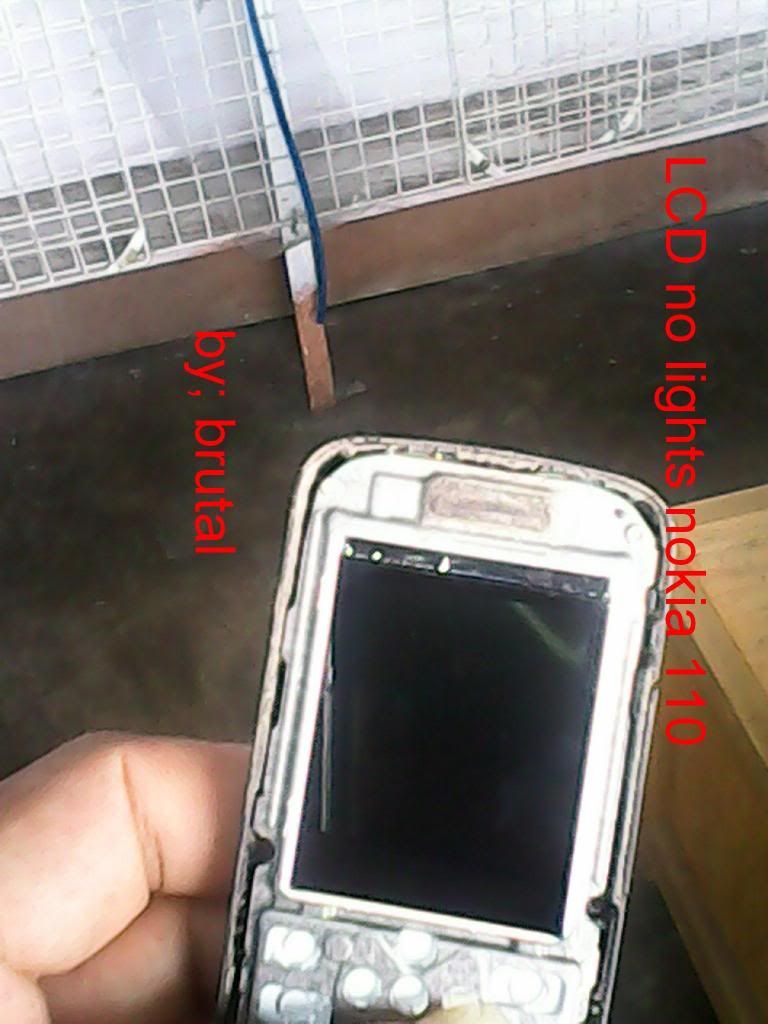
Nokia 110 LCD no lights for water damages done
nokia 110 LCD no lights for water damages done
model; nokia 110
![Nokia]()
![Nokia]()
![Nokia]()
after jumper test..
![Nokia]()
model; nokia 110
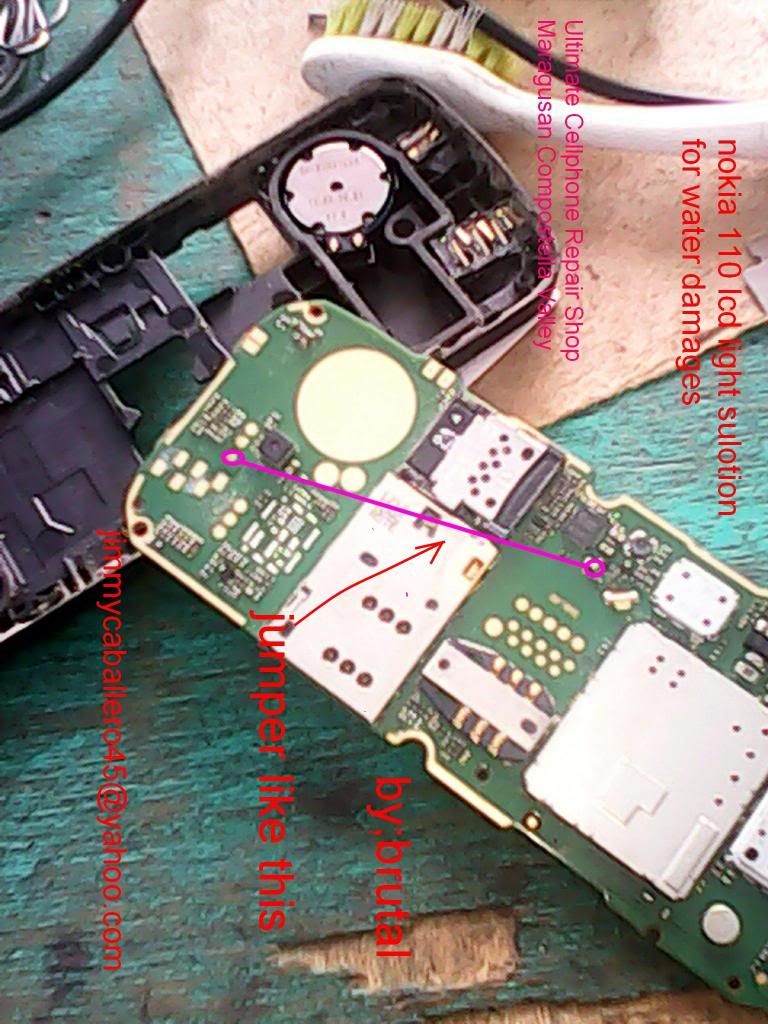
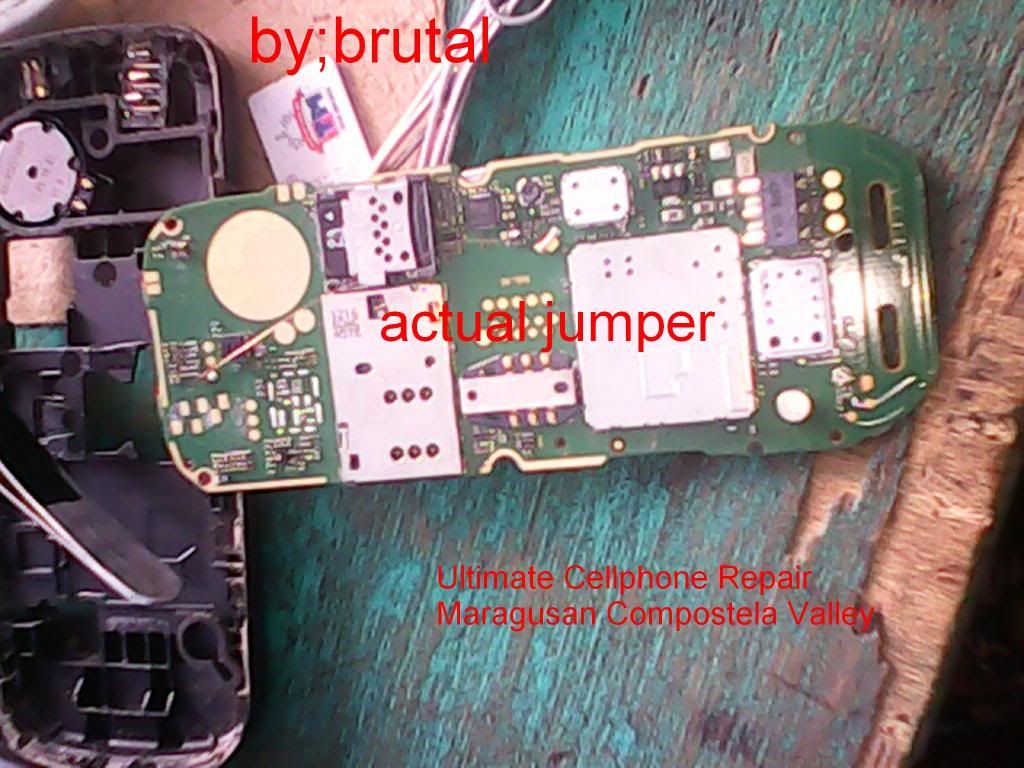
after jumper test..
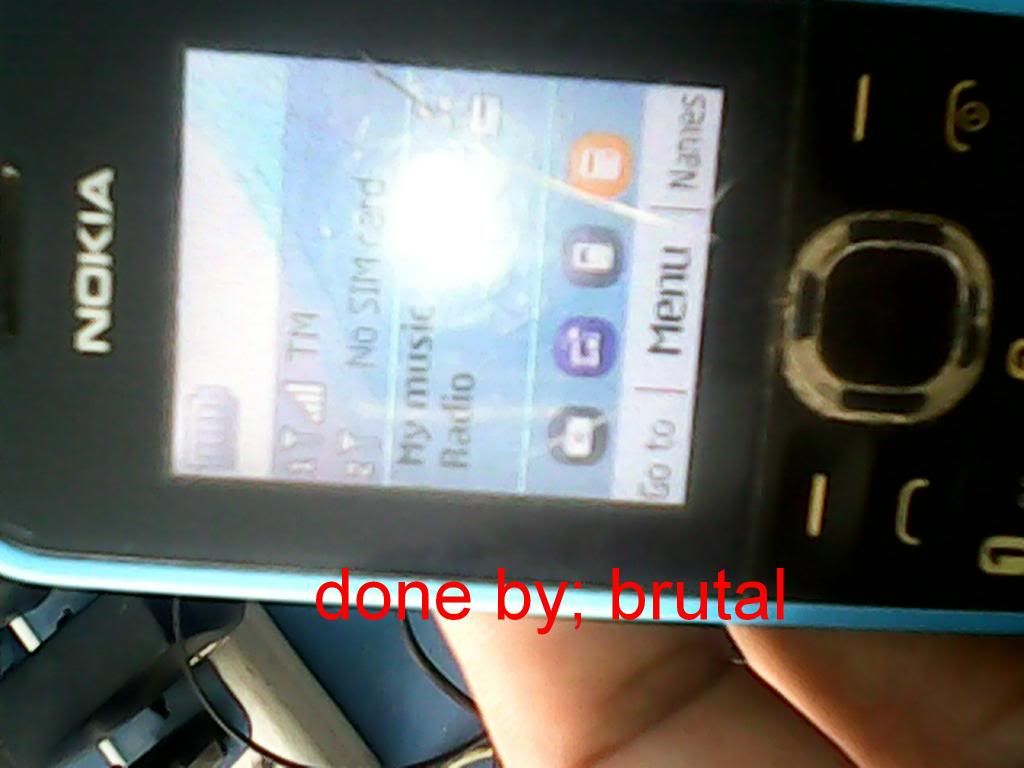
Sunday, August 17, 2014


Samsung I5500 Galaxy 5 No Lcd Backlight fix problem
Subscribe to:
Posts (Atom)
