


 Motorola Test PointDownload,
Showing posts with label motorola. Show all posts
Showing posts with label motorola. Show all posts
Monday, November 17, 2014
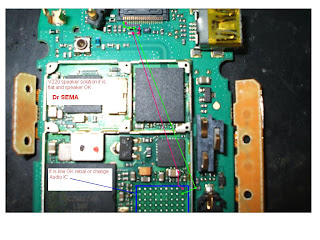
Motorola C200 Speaker Buzzer Repair Solution

Motorola C200 Speaker Buzzer Repair Solution
Motorola C200 Speaker Buzzer Repair Problem
Motorola C200 Speaker Buzzer Nor Working
Friday, November 14, 2014
Wednesday, October 29, 2014
How to Reset Android Phone Motorola Droid
How to Reset Motorola Droid
To reset your phone to factory settings and erase all the data on your phone,Touch Menu > Settings
> Privacy > Factory data reset > Reset phone.
Warning: All data on your phone will be deleted.
Motorola Droid Hard reset with keys
Power off device.
Press X key on hard keyboard + power button, then release both buttons.
When you see exclamation point press and hold VOLUME UP + CAMERA KEY. You will see Android system recovery menu.
With D pad go to data / factory reset, then press CENTER D Pad, then choose Yes.
Thursday, September 11, 2014
Wednesday, September 10, 2014
Motorola Defy Mini factory data reset
| Motorola Defy Mini factory data reset |
Performing factory data reset ( master reset or hard reset ) Motorola Defy Mini via Settings menu:
Performing factory reset
- Tap Menu ( Apps or Applications ) from home Lcd
- Tap Settings
- Tap Privacy
- Tap Factory data reset
- Tap Reset phone
- Tap Erase everything
Warning! All data will be erased from device memory, including system and application data, settings and downloaded applications. Back up your important data. The device will restore to factory settings.
If your phone hangs or does not responding, Press and hold power key about 10 seconds. It will rebooting automatically. Or remove and re insert the battery and SIM Card.
Thursday, September 4, 2014
Saturday, August 30, 2014
Tuesday, August 19, 2014
Hard Reset Motorola DROID BIONIC XT875 to Restore Factory Settings
Hard Reset Motorola DROID BIONIC XT875 to Restore Factory Settings - Motorola Droid Bionic sports a spacious 4.3” TFT electrical phenomenon touchscreen with Multitouch support, accelerometer device, Proximity device, and Compass device. The show appearance sensible with a resolution of 540 x 960 pixels.
The Droid Bionic uses android v2.3.4 (Gingerbread) as its OS. For the brain, theres a dual-core 1 ghz Cortex-A9 processor that works along with PowerVR SGX540 GPU and 1 GB RAM. This phone provides a lot of house to store your information and files. its 16 GB intrinsical storage and includes 16 GB microSD card that may be distended up to 32 GB. The property options carries with it Wi-Fi 802.11 b/g/n, DLNA, Wi-Fi hotspot; Bluetooth v2.1 with A2DP, EDR; and microUSB v2.0.

Hard Reset Motorola DROID BIONIC XT875 to Restore Factory Settings
If you want to clear your phone, or if you forget your unlock PIN or Password, you can reset your phone to factory settings and erase all of your data (if you forget your unlock Pattern).
Warning: All downloaded apps and user data on your phone will be deleted. Data on your memory card will not be deleted. Reset your Motorola DROID BIONIC XT875 as follows: touch Menu > System settings > Privacy > Factory Data Reset > Reset Phone. When the reset is complete, press the Power key to choose reboot from the recovery menu.
Subscribe to:
Posts (Atom)
